Accessible E-Learning
Accessible LMS Buyer's Checklist: 25 Questions to Ask Every Vendor
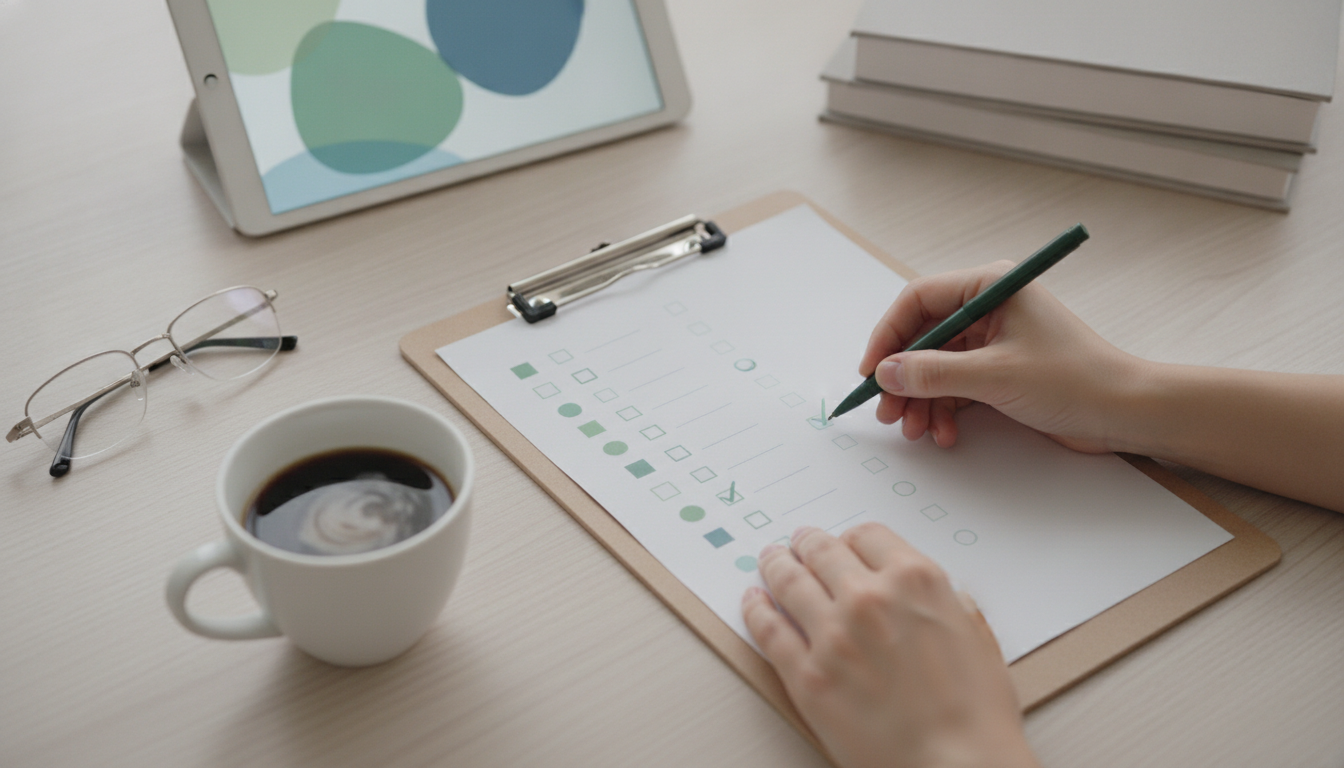
The fastest way to find a genuinely accessible LMS is to ask better questions. Vendors are fluent in reassurance; specific questions force specific, documentable answers — and give procurement a paper trail to defend the decision. This is a 25-question accessible-LMS buyer’s checklist, grouped into six themes, with a note on what a good answer looks like and the red flags that should give you pause. Send it to your shortlist in writing (so the answers are on the record), and pair it with a hands-on trial using our comparison framework. Where you see a brand-name claim, verify it the same way for every vendor so the comparison stays fair.
How to use this checklist
Treat the 25 questions as a request for evidence, not a yes/no survey. The quality and specificity of a vendor’s answer is itself a signal: a mature accessibility team responds with documents, version numbers and honest caveats; a weaker one responds with adjectives. Send the questions in writing and keep the replies — they become part of your procurement record and, if accessibility is ever challenged, part of your defence.
Score each answer against the standard "good answer looks like…" notes below. A single evasive response is rarely fatal, but a pattern of vagueness — especially on conformance evidence and the player — usually predicts the experience disabled learners will actually have. Run the same questions across every shortlisted vendor so you are comparing like with like, and combine the answers with your own hands-on testing rather than taking them on trust.
It also helps to send the questions early — ideally before a sales demo rather than after — so the answers shape what you look for in the trial, and so a vendor cannot quietly skip the awkward ones. Give vendors a reasonable deadline to respond in writing, and note who answered: a reply from a named accessibility lead carries more weight than a generic sales response. If a vendor cannot answer within a couple of weeks, that delay is itself information about how seriously they take accessibility and how quickly they will respond once you are a customer reporting a barrier.
Conformance and evidence (Q1–5)
- Which WCAG version and level do you conform to? Good: "WCAG 2.2 AA."
- Can you provide a VPAT or EN 301 549 statement dated within 12 months? Good: yes, with honest exceptions listed.
- Do you perform manual screen-reader testing, or only automated scans? Good: both, each release.
- Do you publish an accessibility statement with a feedback channel?
- What known accessibility issues exist today, and what is the remediation timeline? Good: a candid list with dates — "none at all" is a red flag.
Evasive answers here — "fully accessible", no documentation — are the biggest warning sign. See what compliance really means.
Learner experience and player (Q6–13)
- Is the entire learner journey operable by keyboard, with no traps?
- Is there a visible focus indicator everywhere, and is focus never obscured (WCAG 2.2)?
- Is the course player keyboard- and screen-reader-operable? (See our player guide.)
- Do videos support synchronised captions and a transcript?
- Is audio description supported where needed?
- Are reading aids (text size, spacing, dyslexia font, high contrast, read-aloud) built in for every learner?
- Does the interface respect reduced-motion preferences?
- Does content reflow and stay usable at 400% zoom, with adequate touch-target sizes on mobile?

Authoring and authentication (Q14–19)
- Does the editor prompt for alt text on images?
- Does it enforce or encourage proper heading structure?
- Are captions generated automatically on video upload, and can they be edited?
- Are the default themes contrast-checked for WCAG AA? (See our contrast guide.)
- Is authentication accessible — no cognitive-test CAPTCHA without an alternative (WCAG 2.2, 3.3.8)?
- Do password managers, passkeys and SSO work?
Authoring questions matter because a conformant platform fills with inaccessible content fast if the editor does not help creators.
Operations, data and cost (Q20–25)
- Where is learner data hosted (region / residency)?
- What interface languages are supported?
- How quickly do you respond to reported accessibility bugs, and is that in an SLA?
- How many admin seats and what role structure are included?
- Do you provide migration help, and at what cost?
- What is the all-in price, including any per-sale or transaction fees?
Score the answers with our framework and compare shortlisted platforms side by side on our comparison pages.
Red-flag answers to watch for
Certain responses should raise your guard regardless of how confidently they are delivered:
- "We are 100% accessible / fully compliant" with no report and no exceptions. Real products have known gaps; absolute claims usually mean no testing.
- "We use an accessibility widget/overlay." That is a substitute for accessibility, not evidence of it.
- "We passed Lighthouse/automated checks." Necessary but far from sufficient — ask about manual screen-reader testing.
- "We can send a VPAT" (that never arrives, or is years old). Insist on a current, dated document.
- Vagueness on the player. The video player is where accessibility most often fails; a confident, specific answer here is reassuring, hand-waving is not.
- No named owner. If nobody owns accessibility, nobody maintains it.
Why these six themes (and what each reveals)
The 25 questions are grouped into six themes deliberately, because each reveals a different kind of risk. Conformance and evidence tells you whether there is any objective basis for the accessibility claim at all — without a dated report, everything else is assertion. Learner experience is what disabled learners actually meet every day; it is the heaviest-weighted area for good reason, because a beautiful admin panel is no consolation to a student who cannot operate the player.
Authoring predicts the future: a conformant platform with no accessible-authoring support will fill with inaccessible content within weeks, because creators will skip alt text and captions unless the tool helps them. Authentication is a frequent silent blocker — a course can be perfectly accessible behind a login that a screen-reader user or someone with a cognitive disability cannot pass. Operations covers the things that bite at scale: data residency, languages, admin structure and how fast bugs get fixed. And cost and switching matters because the best accessible platform is useless if migration friction keeps you on an inaccessible one.
Reading the answers theme by theme stops you from being dazzled by strength in one area while missing a fatal weakness in another. A platform can have wonderful reading aids and still fail because its quizzes are mouse-only; the themed structure forces you to look everywhere that matters.
From answers to a procurement decision
Once the written answers are in and you have done your own hands-on testing, turn the responses into a decision rather than a pile of notes. Start by treating two themes as near-gates: if a platform cannot produce conformance evidence, or fails the learner-experience checks with assistive technology, it should struggle to win regardless of how it scores elsewhere, because those are the areas with the most legal and human impact.
Next, weigh authoring heavily for any team that publishes regularly — it is the difference between accessibility that holds and accessibility that erodes. Then use operations and cost to separate close contenders. Throughout, keep the vendor’s written answers attached to your evaluation: in a regulated environment, the ability to show that you asked specific accessibility questions, received specific answers, and chose accordingly is exactly the documentation procurement and legal teams need.
Finally, write a short rationale — the decisive themes, any accepted risks, and the vendor’s remediation commitments for known gaps. Combine this checklist with the scored comparison framework and you have both the qualitative answers and a quantitative ranking, which together make for a decision you can defend to leadership, auditors and, if it ever comes to it, a court.
Beyond the answers: trial it yourself
Written answers get you a long way, but the final, decisive step is to use the platform the way a disabled learner would. Vendors answer questions about their product; a trial shows you the product. Set aside an hour per shortlisted platform and run the real learner journey with assistive technology, because this is where confident answers meet reality — and where the gap between the two is most revealing.
Unplug your mouse and try to sign up, enrol, work through a lesson, watch a captioned video, take a quiz and submit, using only the keyboard. Then do it again with a screen reader (NVDA on Windows or VoiceOver on Mac are free) and listen to whether controls are labelled and the flow makes sense. Switch on the reading aids and confirm they actually work on the player and quiz, not just the marketing pages. Zoom to 400% and check nothing breaks. If you possibly can, include a colleague who uses assistive technology daily — fifteen minutes of their time will teach you more than any spec sheet.
Compare what you experience against the vendor’s written answers. Alignment builds confidence; a gap ("they said the player is fully keyboard-operable, but I could not toggle captions without a mouse") is exactly the kind of finding that should change your ranking. Pair this hands-on evidence with the written checklist and the scored framework, and you have a decision grounded in how the platform actually behaves — which is the only test that ultimately matters to your learners.
Keep the answers on file
One last practical point that pays off long after the purchase: keep every vendor’s written answers, their conformance report, and your own trial notes in your procurement record. Accessibility decisions are increasingly scrutinised — by auditors, by procurement reviews, and occasionally by lawyers — and the single most useful thing you can produce is evidence that you asked specific questions, received specific answers, tested the product yourself, and chose on that basis. A short decision memo summarising the checklist results, the scored comparison and the decisive factors turns a pile of emails into a defensible record. It also helps the team that inherits the platform understand why it was chosen, and gives you a baseline to compare against when you re-evaluate. Treat the checklist not as a one-off hurdle but as the start of a living accessibility file for the platform you choose.
How Eduspera answers the checklist
Eduspera is built to answer "yes, with evidence" across the list: WCAG 2.2 AA conformance with manual screen-reader testing and documentation on request; a keyboard- and screen-reader-friendly player with captions and transcripts; built-in reading aids for every learner; authoring that prompts for alt text and structure and captions on upload; contrast-checked themes; accessible authentication with SSO; EU data residency; EN/IT/ES interfaces; multiple admin seats; free, done-for-you migration; and pricing at about half the big platforms.
Start a free trial or request the conformance pack at [email protected] and run it against the 25 questions yourself.
Frequently asked questions
What questions should I ask before buying an accessible LMS?
Cover six areas: conformance evidence (WCAG version/level, VPAT, manual testing), learner experience and player (keyboard, screen reader, captions, reading aids, zoom), authoring (alt-text prompts, headings, captions, contrast themes), accessible authentication, operations (data region, languages, support SLA, admin seats) and total cost including migration and fees.
What is the single most important accessibility question to ask a vendor?
Ask for a current WCAG 2.2 AA VPAT or EN 301 549 statement and evidence of manual screen-reader testing. If a vendor cannot provide dated conformance documentation, treat the accessibility claim as unverified, however confident it sounds.
How do I know if an LMS player is accessible?
Confirm the controls are fully keyboard-operable with visible, unobscured focus and screen-reader labels that announce state, and that media has synchronised captions, a transcript and (where needed) audio description, remaining usable at 400% zoom.
Should accessibility be part of LMS procurement scoring?
Yes. Weight accessibility explicitly using a scored framework and keep the vendor’s written answers, so the decision is evidence-based and defensible — especially under the ADA, Section 508 or the European Accessibility Act.
How does Eduspera perform against an accessibility checklist?
Eduspera answers affirmatively across conformance, player, authoring, authentication, data and cost — with WCAG 2.2 AA testing, built-in reading aids, captions on upload, accessible authentication, EU hosting, free migration and documentation on request.
Related articles

Accessible E-Learning
Digital Accessibility Training for Faculty: Designing a Programme That Actually Completes
Remediating course content without training faculty is a treadmill. Here is how to design an accessibility programme academics will finish — and how to prove they did.

Accessible E-Learning
An Accessible LMS for Universities: What to Run Alongside Canvas
Nobody is ripping out Canvas. The accessibility problem sits in the programmes around it — non-credit, outreach, staff training — and that is where a second platform earns its place.
Accessible E-Learning
Accessible Workforce Training in 2026: Two Delivery Models, and How to Choose
Accessible, disability-inclusion training is one of the fastest-growing areas of workplace learning. This guide explains the two ways it's delivered — buying a ready-made course catalogue, or building your own courses on an accessible platform — the accessibility criteria that matter, and how to pick the model that fits your organisation.